
PakVIP Deposit: Add Money and Fix Payment Problems
A PakVIP deposit begins inside the account’s wallet or payment area. The user chooses a method currently displayed, enters an amount and follows the recipient details shown for that transaction. The steps may look routine, but small mistakes can delay the balance or send money to the wrong place. Never copy a payment number from an old screenshot, blog comment or private message. Payment methods, limits, fees and recipient details can change. The information displayed inside the current account should take priority over anything published elsewhere. If you cannot reach the wallet, resolve PakVIP Login first. New users should complete PakVIP Register before attempting a payment.
What Is a PakVIP Deposit?
A PakVIP deposit is a payment intended to add funds to a registered account balance. It should be started through the payment section available after login. The current screen may show one or more methods, amount limits, recipient information and instructions for confirming the transaction.
A deposit is different from a bonus. Deposited money comes from the account holder’s payment method. A promotion is an additional balance that may have eligibility, game, turnover, expiry or withdrawal conditions. Seeing both amounts together can make the wallet look larger than the amount currently eligible for withdrawal. Deposits also differ from withdrawals. Adding money may complete quickly while removing funds can involve separate balance, verification and payment checks. Users should read the PakVIP Withdrawal requirements before depositing, not only after they want to cash out.
Checks to Make Before Depositing
The best time to prevent a payment problem is before pressing Send.
Use the Payment Details Inside Your Account
Open PakVIP through the app or website you have checked, sign in and reach the wallet from there. Avoid payment details shared in social-media comments or old images. Even a previously valid number may no longer belong to the current deposit route. If the payment button redirects to an unrelated domain or asks you to continue through a private chat, stop and verify the process before transferring money.
Confirm the Recipient Carefully
Compare every digit. For a mobile wallet, check the number and displayed name where available. For a bank-related transfer, review the account information and any required reference. For another payment type, follow the network and address exactly as shown. Do not assume that a familiar-looking name is enough. One wrong digit can direct money elsewhere.
Check the Amount Limits
An amount below the minimum may not be credited automatically. An amount above the maximum may fail or require a different route. Enter the value only after checking the limits for the selected method. Payment providers can have their own daily or monthly limits as well. A platform accepting an amount does not guarantee that the user’s wallet or bank will approve it.
Review Fees and the Final Total
A payment provider may add a charge, or the platform may display one before submission. Make sure the available balance covers both the deposit and any visible fee. Never rely on a competitor’s claim that every deposit is free.
Read Bonus Conditions Before Selecting an Offer
A deposit promotion may look attractive but can affect how the resulting balance is used or withdrawn. Check the qualifying amount, eligible games, turnover requirement, expiry and maximum withdrawal before opting in.
Decide the Spending Limit in Advance
Choose an amount that can be lost without affecting food, rent, utilities, education, medical needs or debt payments. Do not increase it because a banner uses a countdown or claims an offer is about to disappear.
How to Make a PakVIP Deposit
Field names and payment routes may vary, but the general process commonly follows these steps.
Step 1: Log In to the Correct Account
Open the checked PakVIP app or website and use the registered credentials. Confirm that the profile belongs to you, especially on a shared phone. If the account details look unfamiliar, sign out and resolve the login before paying.
Step 2: Open the Wallet or Deposit Section
Look for Wallet, Deposit, Recharge, Add Funds or the current equivalent. Do not enter payment information into a pop-up that appeared outside the recognised account flow.
Step 3: Choose an Available Payment Method
Select only a method displayed for your account. Pakistani users may look for JazzCash, Easypaisa or bank-related options, but their current availability must be confirmed on the live screen. Other methods should be treated the same way.
Step 4: Enter the Deposit Amount
Type the amount carefully and check that it falls within the displayed limits. Review the currency. A misplaced zero can turn a small test payment into a much larger transfer.
Step 5: Read the Payment Instructions
The platform may show a recipient number, account, reference or gateway. Do not close the instructions until the payment is complete. If a reference code must be included, copy it exactly.
Step 6: Complete the Payment Once
Open the relevant payment app or gateway and confirm the recipient, amount and fee. Approve the transaction only once. Repeated attempts can create duplicate deductions. Never tell another person the mobile-wallet PIN or OTP. Enter confidential codes only inside the payment provider’s own confirmation screen.
Step 7: Save the Receipt and Transaction ID
Keep the confirmation until the PakVIP balance and transaction history both reflect the payment. A screenshot can help, but hide the wallet PIN, full account information and unrelated personal details.
Step 8: Return to PakVIP and Check the Status
Look at transaction history rather than refreshing the main balance repeatedly. The record may show pending, processing, completed, failed or another status. Do not submit the same payment again while the first one remains unresolved.
Using Local Payment Methods
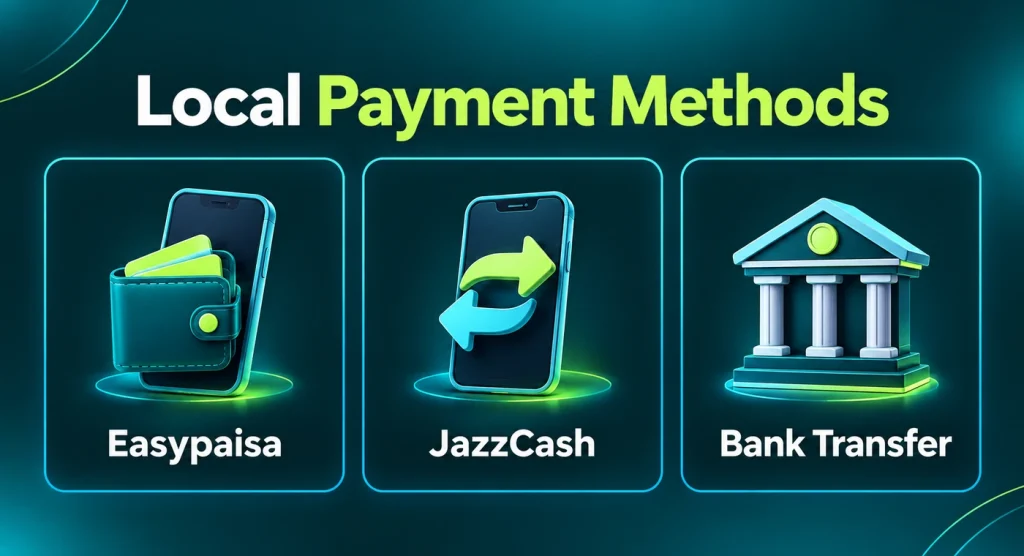
Pakistani users commonly search for deposits through familiar mobile wallets and PKR-based services. These methods can be convenient when they appear inside the current PakVIP cashier, but convenience does not remove the need to verify the recipient.
JazzCash
If JazzCash is listed, follow the exact route and recipient details displayed for that transaction. Check the wallet name and number where possible, save the transaction ID and never give the JazzCash PIN or OTP to a PakVIP agent or support account.
Easypaisa
The same checks apply if Easypaisa appears. Confirm the number, name, amount and visible fee. An old Easypaisa payment number copied from a previous deposit should not be reused automatically.
Bank Transfer
Bank-related deposits may require an account title, number and reference. Missing the required reference can make a payment difficult to match with the gaming account. Bank processing schedules may also differ from mobile-wallet processing.
Other Methods
If the account lists another wallet, gateway or digital-asset option, read the network and recipient information with extra care. Some transactions cannot be reversed after confirmation. Do not use a method simply because an unofficial agent claims it provides a larger bonus. No payment method should be described as supported permanently. Availability can change without the article changing at the same time.
A Sensible First PakVIP Deposit
The first transaction should be used to understand the process, not to test the highest limit. Start with an affordable amount within the current minimum and maximum range. Follow every step yourself and keep the receipt.
After the balance appears, find the transaction record and confirm how deposited funds are labelled. Then read the withdrawal rules, including verification and promotional conditions. A small successful deposit does not prove that every future transaction will follow the same timeframe, but it helps the user learn where records and support are located. Do not let a first-deposit bonus determine the spending amount. If the qualifying threshold is higher than the amount you planned to risk, skip the offer rather than stretching the budget.
Understanding PakVIP Account Balances
Users often say “my balance” as if the wallet contains one unrestricted amount. It may contain several categories.
| Balance type | What it generally means |
| Deposited balance | Money successfully added from the user’s payment method |
| Promotional balance | Bonus or campaign funds that may carry conditions |
| Winnings | Amount credited after eligible game activity |
| Pending deposit | Payment submitted but not fully reflected |
| Pending withdrawal | Amount tied to an open withdrawal request |
| Withdrawable balance | Funds currently eligible for a withdrawal request |
A promotion visible beside deposited money may not be available for immediate withdrawal. The account may require eligible gameplay, verification or another condition. Read the terms attached to that specific offer rather than assuming every displayed rupee is unrestricted cash.
PakVIP Deposit Statuses Explained
The exact labels can vary, but transaction history may use statuses with these general meanings:
- Pending: The payment request exists but has not been fully matched or completed.
- Processing: The platform or payment provider is still handling the transaction.
- Completed: The deposit has been marked as credited.
- Failed: The request did not complete successfully.
- Rejected: The transaction was not accepted and may show a reason.
- Cancelled: The payment request was stopped before completion.
- Reversed or Refunded: Money may have been returned through the original payment route.
The status inside the user’s account is more useful than a generic processing-time promise. Save the reference and wait for the timeframe displayed by the platform before escalating.
Deposit Deducted but Balance Not Showing
This is one of the most stressful payment problems. Treat it as a record-matching issue rather than immediately sending more money.
1. Confirm the Money Was Actually Deducted
A notification can appear before a transaction fully settles. Open the payment provider’s history and check whether the status is completed, pending, failed or reversed.
2. Check PakVIP Transaction History
The main wallet balance may update later than the deposit record. Look for an order number, pending entry or failed message. Take a screenshot with unrelated private information hidden.
3. Compare the Recipient and Amount
Confirm that the money went to the recipient shown for that specific deposit request. Check the exact amount and any reference code. A transfer to an old recipient may not connect automatically with the current account.

4. Do Not Pay Again Immediately
A second deposit can also be deducted, leaving two payments to trace. Wait for the displayed processing period and investigate the first transaction before repeating it.
5. Prepare the Evidence
Collect:
- PakVIP account identifier;
- deposit order or reference;
- payment-provider transaction ID;
- amount;
- date and time;
- method used;
- current status; and
- a redacted screenshot.
6. Contact Recognised Support
Use the help option linked from the current account or another channel you have verified. Describe the issue clearly: money deducted, recipient, amount, time and missing PakVIP balance. Support should not need the password, payment PIN or OTP. Do not pay an “unlock” or “release” fee to a person who contacts you privately.
Other Common PakVIP Deposit Problems
Deposit Is Pending
Check the payment provider and PakVIP histories. A provider may still be processing the transfer, or the platform may be matching it with an order. Wait for the current displayed timeframe and avoid duplicate attempts.
Deposit Failed but Money Was Deducted
Look for a reversal or refund in the original payment account. Some failed transactions are returned automatically after provider processing. Keep the reference until the money is either credited or returned.
Deposit Is Marked Completed but Balance Is Missing
Confirm whether the completed status belongs to the payment provider or the PakVIP wallet; they are not necessarily the same record. Check the platform’s transaction entry and report the mismatch with both references.
Wrong Amount Was Entered
If the transfer has not been confirmed, cancel it through the payment screen. Once sent, do not attempt to correct the difference with another payment until recognised support explains the appropriate process.
Money Was Sent to the Wrong Recipient
Act quickly through the payment provider and keep all records. PakVIP may not be able to credit money sent outside the current deposit instructions. Do not pay another person who promises they can recover it for a fee.
Duplicate Deposit Was Deducted
Save both transaction IDs and check whether both appear in the PakVIP history. Report them as separate payments. Do not dispute both blindly if one balance has already been credited.
Deposit Limit Error
The amount may fall below the minimum, exceed the maximum or conflict with the payment provider’s account limit. Return to the current cashier and check the selected method rather than guessing another amount repeatedly.
Payment Account Name Does Not Match
Some payment routes may require the account holder’s name to match the registered or verified PakVIP information. Do not use someone else’s wallet merely to bypass a restriction. The mismatch can also create problems later during withdrawal.
Bonus Was Not Added
A bonus may require opt-in, a qualifying amount, a particular method, first-time status or another condition. Check the promotion terms and whether the deposit itself completed. Do not assume every deposit automatically receives a reward.
App Closed During Payment
Do not start again immediately. First check the payment provider’s status and PakVIP transaction history. The transfer may have completed even though the app closed before showing confirmation.
PakVIP Deposit Limits and Fees
Limits can vary by method, user verification, payment-provider rules and current platform settings. Publish exact figures only after checking the current cashier. Before paying, review:
- minimum amount;
- maximum amount per transaction;
- daily or monthly limits;
- provider fees;
- platform fees, if shown;
- currency conversion, if relevant;
- account verification requirements; and
- promotional thresholds.
Do not split a deposit into several payments to avoid a displayed limit. Multiple rapid transactions can create record-matching problems or trigger a review. If the planned amount exceeds the current method’s range, use only an alternative displayed by the platform and permitted by the payment provider.
Deposit Verification and Account-Name Checks
PakVIP may ask for phone, identity or payment-account verification before or after a transaction. The current platform determines the actual requirement. Use information that belongs to the account holder. Name mismatches, borrowed wallets and edited receipts can delay both deposits and future withdrawals. If documents are requested, upload them only through a recognised account process and understand why they are needed.
Avoid sending CNIC images, bank statements or wallet screenshots to random support profiles. Redact information that is not required, and never expose passwords, PINs or full card details.
Deposit Agents and Private Payment Requests
Some users may encounter people describing themselves as agents. A person using the PakVIP name in a profile is not automatically authorised to accept money. Warning signs include:
- payment instructions available only through private chat;
- pressure to send a larger amount quickly;
- an offer of guaranteed profit;
- a request for the PakVIP password or OTP;
- recipient details that keep changing;
- an advance fee to activate or release the balance; and
- refusal to provide a transaction or order reference.
Prefer the payment route displayed inside the current account. If agent-assisted payment is genuinely part of the available process, verify it through the platform before sending money and keep the complete record.
PakVIP Deposit Safety Checklist
Review this list before every transaction, not only the first one:
- I logged in through the app or website I intended to use.
- The payment method appears inside my current account.
- I checked the recipient, amount and currency.
- I reviewed the minimum, maximum and visible fee.
- I read any bonus conditions before opting in.
- The money comes from an account I am allowed to use.
- I will enter the wallet PIN or OTP only in the payment provider’s screen.
- I will save the transaction ID and receipt.
- I will not send the same payment again while it is pending.
- The amount is affordable to lose.
Keeping Useful Deposit Records
A clean record makes support conversations shorter. Keep the transaction ID, amount, date, time, method, recipient and PakVIP order reference until the balance has updated and any related withdrawal has been completed. Screenshots should show the necessary status without exposing a wallet PIN, full identity document or unrelated transactions. Name files by date or reference so the correct receipt can be found later. Do not edit payment proof. An altered screenshot can undermine a legitimate support request and may violate account rules.
What to Do After the Deposit Appears
Confirm that the amount is reflected in transaction history as well as the wallet. Check whether part of the balance is labelled promotional. If a bonus was selected, read its terms again before using it. Do not increase the next deposit merely because the first one completed quickly. Payment speed can vary, and a successful deposit says nothing about game outcomes. Before playing, understand the game rules and set a session budget. Also review the PakVIP Withdrawal page so verification, withdrawable balance and promotion conditions are not a surprise later.
Responsible Depositing
Deposit decisions should be made before opening a game, not in response to a loss. Set a fixed entertainment budget and stop when it has been used. Do not borrow money, use credit intended for necessities or chase a previous result with a larger payment. Fast payment methods can make repeated deposits feel separate even when the total is becoming unaffordable. Review the full transaction history. A simple weekly total gives a more honest picture than remembering only the last amount.
PakVIP and similar real-money services should be used only by adults aged 18 or over where permitted. If deposits begin to affect bills, debt, sleep, work, studies or relationships, stop and seek appropriate help.
Frequently Asked Questions
Continue With Your PakVIP Account
Use the page that matches your next task:
- Return to the PakVIP homepage
- Download or update PakVIP
- Create a PakVIP account
- Open PakVIP login help
- Review PakVIP withdrawal requirements
Before sending money, confirm the current payment instructions inside the account. After paying, keep the receipt until the transaction and balance have both updated.