
PakVIP Withdrawal – Request Funds & Fix Payment Problems
A PakVIP withdrawal is a request to move eligible funds from an account balance to a payment method currently offered by the platform. Before submitting one, check the withdrawable balance, account verification, recipient details, limits, fees and any conditions attached to a bonus.
The total balance shown in a wallet is not always the amount available for withdrawal. Part of it may be a promotional balance, pending transaction or amount still subject to account rules. Confirm what the current withdrawal screen allows rather than relying on a screenshot or processing promise from another website. If you cannot access the account, start with PakVIP Login. Users researching payments before adding money should also read PakVIP Deposit.
What Is a PakVIP Withdrawal?
A withdrawal begins when an account holder asks to transfer eligible funds out of the PakVIP wallet. The current platform may provide one or more payment methods and ask for an amount, recipient information and account verification.
Submitting a request does not mean the payment has already been sent. It may first appear as pending or processing while the platform checks the balance, account details, promotional conditions or payment route. Transaction history should show the current status. A withdrawal is also separate from a deposit. Deposits add money; withdrawals remove eligible funds. The two processes can have different methods, limits, fees and verification requirements. A successful deposit does not establish that every amount in the account can be withdrawn immediately.
Checks to Make Before Requesting a Withdrawal
Most preventable withdrawal problems come from an incorrect field, unfinished condition or misunderstood balance.
Check the Withdrawable Balance
Open the wallet and identify the amount currently eligible for withdrawal. Do not assume that deposited funds, promotional credits, winnings and pending transactions are all available in the same way. If the withdrawal button allows less than the main balance, check whether some funds are promotional or tied to an open transaction.
Review Account Verification
The platform may require phone, identity or payment-account verification before releasing a request. Complete only the checks shown through the recognised account process. Avoid sending identity documents to an unsolicited WhatsApp or Telegram profile.
Read Bonus and Turnover Conditions
A bonus can create additional requirements before related funds become withdrawable. Check the promotion’s qualifying activity, eligible games, expiry and maximum withdrawal. Do not deposit more merely to satisfy a condition you do not understand.
Confirm the Payment Method
Use only a withdrawal method listed inside the current account. A method mentioned by a competitor or available for deposits may not appear for withdrawals.
Match the Recipient Details
Enter the mobile-wallet number, bank information or other recipient exactly. Where account-name matching applies, use details belonging to the account holder. A small typo can delay or misdirect the payment.
Check Limits and Fees
An amount below the minimum may be rejected. A request above the maximum may fail or require a different permitted route. Review any fee so the expected received amount is clear.
How to Withdraw From PakVIP
Button names and field order may differ, but the general process commonly follows these steps.
Step 1: Sign In to the Correct Account
Open the checked app on your Android or website and confirm the profile. Never request a withdrawal through a link sent by a stranger or hand over login details to an agent who offers to do it for you.
Step 2: Open the Wallet or Withdrawal Area
Look for Withdraw, Cash Out, Wallet or the current equivalent. Review the available balance and any message displayed before starting the request.
Step 3: Select an Available Method
Choose only an option listed for the account. Pakistani users may look for JazzCash, Easypaisa or bank-related payment, but each method should be described as available only when it appears on the current screen.
Step 4: Enter the Amount
Use the withdrawable balance and displayed limits. Check the number of zeros and review any visible fee or expected received amount.
Step 5: Enter the Recipient Information
Type the mobile-wallet number, bank details or other requested information carefully. Do not paste details from an old withdrawal without comparing them with the current account owner and method.
Step 6: Complete Verification If Requested
An OTP, payment password or identity check may be required. Enter confidential codes only inside the intended PakVIP or payment-provider screen. Support should not need the OTP to submit the request for you.
Step 7: Review and Submit Once
Read the amount, method and recipient again. Submit one request and wait for confirmation. Repeated taps can create duplicate requests or confusing error messages.
Step 8: Save the Withdrawal Reference
Keep the order number, amount, time and status. A screenshot is useful when sensitive information is hidden. Do not delete the record until the payment is received and matched.
Step 9: Track the Request in Transaction History
Check the withdrawal record instead of relying only on the wallet balance. Funds may be held or deducted from the available balance while a request is pending.
PakVIP Withdrawal Methods
The live account determines which routes are currently available.

JazzCash
If JazzCash appears, check the mobile number and account-name requirements. Make sure the receiving wallet can accept the amount under its own limits. Do not share the JazzCash PIN or OTP with PakVIP support.
Easypaisa
When Easypaisa is listed, verify the number and visible name where possible. A number used for a previous account should not be copied without checking that it still belongs to the intended recipient.
Bank Transfer
Bank withdrawals may require an account title, account number or IBAN and can follow banking schedules. The registered name may need to match. Entering one wrong digit can send the payment for review or to the wrong recipient.
Other Payment Methods
If another gateway, wallet or digital-asset option appears, read the network, address and fee carefully. Some transfers cannot be reversed after they are sent. Never choose an unofficial method solely because a private agent promises faster payment. Deposit and withdrawal methods do not always match. The fact that an account accepted money through one route does not guarantee that the same route is available for cashing out.
Understanding PakVIP Balances Before Withdrawal
The wallet can contain several categories that look similar but behave differently.
| Balance type | General meaning |
| Deposited balance | Money added through a completed deposit |
| Promotional balance | Bonus funds that may carry conditions |
| Winnings | Results credited after eligible game activity |
| Pending funds | Money tied to an unfinished transaction |
| Held balance | Amount temporarily reserved for review or a request |
| Withdrawable balance | Funds currently eligible to be requested |
A displayed bonus should not be counted as cash until the related terms say it is withdrawable. Likewise, an open withdrawal may reduce the available balance even before the receiving wallet shows the payment.
PakVIP Withdrawal Statuses Explained
Status wording may vary, but users commonly encounter these stages:
Pending
The request has been recorded but has not finished. It may be waiting for normal processing, verification or another account check.
Processing
The request is being handled by the platform or payment route. Cancelling and resubmitting during this stage can create unnecessary complications.
Approved
The platform has accepted the request, but the payment provider may still need to deliver the funds.
Completed
PakVIP has marked the withdrawal as sent or completed. If money is not visible, compare the recipient and provider records before reporting it.
Rejected
The request was not approved. Transaction history may show a reason, such as incorrect details, an amount problem, verification or account conditions.
Cancelled
The request was stopped by the user or system before completion. Check whether the held balance has returned to the wallet.
Why a PakVIP Withdrawal May Be Pending
A pending status is not one specific problem. Possible causes include:
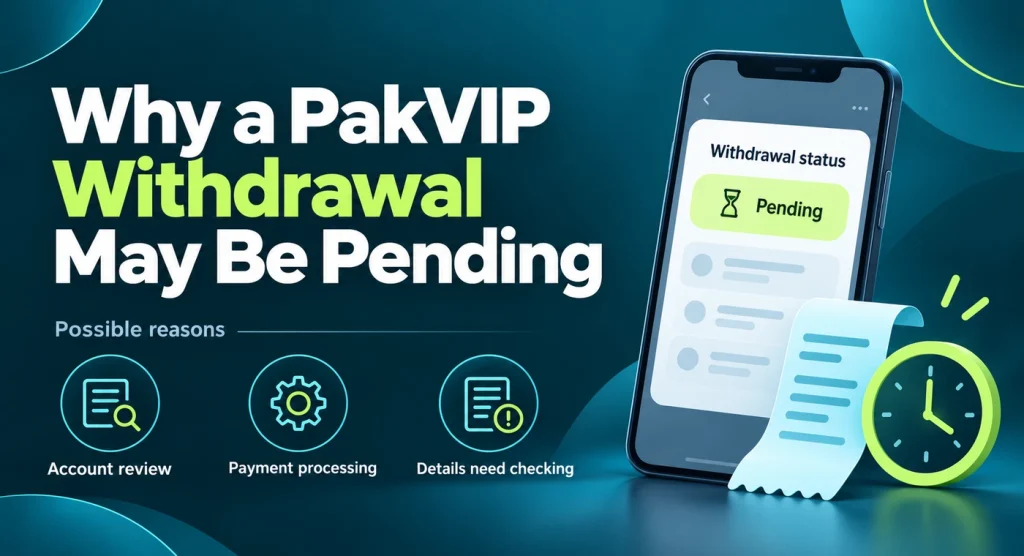
- normal processing;
- incomplete phone or identity verification;
- incorrect or unconfirmed payment details;
- promotional conditions;
- provider maintenance or delay;
- an account or transaction review;
- request volume;
- a weekend or banking schedule where relevant; and
- a technical issue.
The actual cause should come from the account message or recognised support. Avoid assuming a generic timeframe found on another site applies to every method and account.
What to Do With a Pending Request
- Check the transaction status and reference.
- Read any message linked to the request.
- Confirm the recipient details.
- Review verification and bonus conditions.
- Wait for the timeframe currently displayed.
- Avoid cancelling or submitting duplicates without instruction.
- Contact recognised support with the reference if it remains unresolved.
Why a PakVIP Withdrawal May Be Rejected
A rejected request should show or lead to a reason. Common possibilities include:
Incorrect Payment Details
The wallet number, bank information or recipient name may be invalid. Correct the specific field before submitting another request.
Amount Outside the Limits
The request may be below the minimum, above the maximum or greater than the withdrawable balance. Do not split requests simply to bypass a rule without checking whether multiple withdrawals are permitted.
Verification Is Incomplete
Phone, identity or payment-account checks may still be open. Complete them through the recognised account area rather than sending documents to a private contact.
Bonus Conditions Are Unfinished
Some funds may remain restricted until the current promotion’s eligible activity or turnover requirement is completed. Check which balance is affected.
Payment Account Name Mismatch
The recipient may not match the registered or verified account holder. Using a friend’s wallet can create review and recovery problems.
Account Review or Restriction
The account may be checked for rule compliance or unusual activity. Only the platform can provide the specific reason. Creating another account can make the situation worse.
What to Do After Rejection
Read the reason, correct only the identified problem and make sure the balance has returned. Do not immediately submit the same unchanged request several times.
Withdrawal Completed but Money Not Received
A completed PakVIP status and a receiving-wallet balance are two separate records. Check both before concluding that funds are missing.
Confirm the Recipient
Compare every digit with the receiving account. Check whether the payment went to an old number, another wallet or an account with a name mismatch.
Check the Payment Provider’s History
Look for incoming, pending, rejected or reversed transactions. A provider may delay the visible balance while recording the payment separately.
Check Notifications Carefully
An SMS can be delayed or filtered even when the payment has arrived. Open the wallet or bank application directly rather than relying only on notifications.
Prepare Both References
Keep the PakVIP withdrawal ID and any provider reference shown by the platform. Record the amount, date, completion time and recipient.
Contact Support Without Exposing Credentials
Report that the platform marks the request completed but the receiving account has no matching credit. Support should not ask for the wallet PIN, OTP or PakVIP password.
Wrong Withdrawal Details Entered
If the request is still pending and a cancel option exists, check the current instructions before using it. Cancelling may return the funds to the wallet, but the exact behaviour depends on the platform. Once a payment has been sent, recovery may be difficult or impossible. Contact recognised support and the payment provider immediately. Do not pay a third party who promises to reverse the transfer for an advance fee. After correcting the details, save them only on a private device. Review auto-filled numbers carefully because browsers and password managers can retain an old account.
PakVIP Withdrawal Verification
Verification attempts to connect a sensitive payment request with the account owner. Requirements may include a mobile OTP, identity document, selfie or proof that the receiving account belongs to the user. The current platform determines what is actually needed.
Before Submitting Documents
- Confirm that the request appears inside the recognised account process.
- Read why each document is required.
- Check that names and payment information are consistent.
- Upload clear, current images only when requested.
- Do not edit or manipulate proof.
- Avoid exposing unrelated account numbers or transactions.
Protect Identity Information
Do not send a CNIC image to someone who contacts you first. Fake support profiles may collect documents for misuse. Never combine a full identity document, password and OTP in one conversation. If verification is rejected, use the reason shown. Blurry images, expired documents and mismatched names should be corrected through the same recognised process.
Bonuses, Turnover and Withdrawable Funds
A bonus can increase the displayed balance while adding conditions. The relevant terms may include:

- qualifying deposit;
- eligible games;
- required turnover or activity;
- expiry;
- excluded bets;
- maximum withdrawal;
- verification; and
- one-account restrictions.
Do not assume playing more will always unlock the balance. Read the exact requirement and calculate whether continuing fits the spending limit. Depositing additional money to chase a restricted bonus can increase financial harm. If a promotion appears to block unrelated deposited funds, gather the balance breakdown and ask recognised support which amount and rule apply.
PakVIP Withdrawal Limits, Fees and Processing Times
These details can vary by method, account status, verification and provider. Check them before every request.
Limits
Review the minimum, maximum per request, daily or periodic maximum and number of requests allowed. The main wallet balance may exceed what one transaction can withdraw.
Fees
Look for a flat fee, percentage, provider deduction or currency conversion. Compare the requested amount with the expected amount to be received.
Processing Times
Use the current timeframe displayed for the selected method. Avoid promises such as “instant withdrawal” unless the particular completed transaction supports it. Weekends, reviews and provider maintenance can affect delivery. Never pay a private “speed fee” or “release charge” that does not appear in the recognised account process.
A Sensible First PakVIP Withdrawal
The first request is a chance to understand the process. Use an amount within the current limits, verify the recipient and keep the complete record. Do not wait until the account holds a large balance before learning whether verification is required. Check how the wallet separates pending and withdrawable funds. Note when the status changes, then confirm the receiving account directly. A successful small withdrawal does not guarantee every future request will take the same time, but it helps identify the normal screens and references. Do not increase gaming activity simply to create a larger withdrawal. Outcomes remain uncertain, and chasing a target can turn an affordable session into a loss.
Account Restricted During Withdrawal
If login works but the wallet or withdrawal feature is restricted, read the account message and preserve transaction records. Possible causes can include verification, a review, duplicate accounts, payment mismatches or another rule. Do not guess which one applies. Contact recognised support with the account identifier and withdrawal reference. Ask for the specific requirement and keep the response. Avoid creating a new profile, editing documents or paying someone to bypass the review. If the account no longer opens, use PakVIP Login recovery without sharing credentials.
Fake Withdrawal Support and Release-Fee Scams
Payment delays attract scammers because users are anxious and may act quickly. Common warning signs include:
- a message claiming the withdrawal is frozen unless a fee is paid;
- a request for the login password or OTP;
- instructions to send money to a personal wallet;
- a promise to bypass verification;
- pressure to install a remote-access app;
- a different support number contacting the user first;
- demands for repeated “tax,” “activation” or “clearance” payments; and
- guaranteed payment after one more deposit.
Use only support linked from the current platform or another channel you have independently checked. A routine investigation should work with the transaction reference and account information, not control of the user’s phone or payment wallet.
Evidence to Prepare for a Withdrawal Complaint
A clear report is easier to investigate than “my payment is missing.” Prepare:
- account identifier;
- withdrawal reference;
- requested amount;
- expected received amount;
- selected method;
- recipient details with sensitive parts hidden;
- request date and time;
- current status;
- rejection message, if any;
- payment-provider record; and
- redacted screenshots.
Keep the original files. Do not edit a timestamp or status to make the case appear stronger. Accurate records protect the user and help identify where the payment stopped.
PakVIP Withdrawal Safety Checklist
Review this list before submitting:
- I am signed in to the correct account.
- I checked the withdrawable balance, not only the total balance.
- The payment method appears on the current withdrawal screen.
- I reviewed the minimum, maximum and fee.
- My recipient details are correct and belong to an allowed account.
- I checked verification and bonus conditions.
- I will submit one request and save its reference.
- I will not share a password, OTP or wallet PIN.
- I will not pay a private release or speed fee.
- I understand that a successful withdrawal does not guarantee future profit.
Keeping Withdrawal Records
Save the request ID, amount, method, recipient, date, status changes and final payment record. Keep these details until the funds are received and any related dispute is closed. Screenshots should hide the password, OTP, wallet PIN, complete identity number and unrelated financial activity. Store records privately rather than posting them in public groups as proof of payment. An edited screenshot from another user does not establish what will happen with your account. Your transaction history and provider records are the useful evidence.
Responsible Withdrawal and Gaming Habits
Receiving money can encourage a user to deposit it again immediately. Decide what portion, if any, belongs in an entertainment budget before reopening a game. A successful withdrawal does not change the risk of the next round. Do not chase a target amount after losses. Keep a record of total deposits and total withdrawals; looking only at money received can hide the actual net cost. PakVIP and similar real-money services should be used only by adults aged 18 or over where permitted. Never borrow to play. If gaming affects bills, debt, sleep, work, studies or relationships, stop and seek appropriate help.