
PakVIP Login: Access Your Account and Fix Sign-In Problems
PakVIP login is for users who have already registered and want to return to their account. Depending on the current platform, the sign-in screen may ask for a mobile number, username, password or one-time verification code. Follow the fields shown on the live screen rather than relying on an old screenshot. Before entering any credentials, check the app or full website address. Lookalike pages can copy the PakVIP name and design while sending passwords to someone else. If you still need an account, use PakVIP Register. Android users looking for the application should visit PakVIP Download.
18+ notice: PakVIP may involve real-money gaming and financial loss. Account access is intended for adults aged 18 or over where permitted. Signing in does not guarantee bonuses, payments or earnings.
What Does PakVIP Login Mean?
PakVIP login is the process of entering an existing account through a supported app or browser. Searches such as “PakVIP game login” and “Pak VIP login” describe the same account-access intent with slightly different wording. The login screen connects a returning user with the profile created during registration. It may provide access to account settings, games, balance information, transaction records, promotions and support. The exact options can change between app versions or access methods.
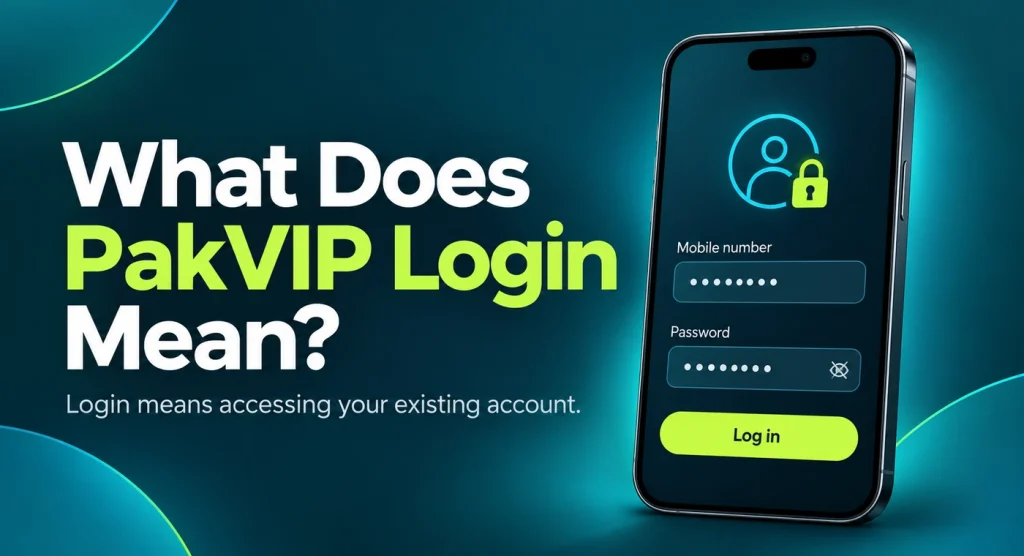
Login should not be confused with registration. If a mobile number is already recognised, creating a second account is usually the wrong response to a forgotten password. Duplicate profiles can create verification, bonus and withdrawal problems. Recover the existing account first.
Checks to Make Before Logging In
A sign-in problem is frustrating, but rushing can expose the account to a fake page or make a temporary lock more likely.
Check the Domain or App
Read the full browser address. Watch for added letters, unusual subdomains, misspellings and redirects to unrelated brands. A lock icon shows that the browser connection is encrypted; it does not prove that the site belongs to the intended platform. If using the Android app, confirm that it was installed from the source you intended to use. A modified APK can imitate the normal login screen while collecting passwords or OTP codes.
Confirm the Registered Identifier
Use the mobile number, username or email connected with the original account. Check the required phone-number format. Entering +92 when the form expects a leading zero—or the reverse—can make a valid account appear missing.
Use the Correct Password
Check capitalisation, numbers and symbols. Phone keyboards sometimes add a space at the end of pasted text or change the first letter automatically. Use the password visibility button, if provided, only when nobody else can see the screen.
Avoid Repeated Guessing
Several incorrect attempts may trigger a delay, verification challenge or temporary restriction. After one or two careful attempts, use the password-recovery option rather than trying every password you remember.
Use a Private Connection and Device
Avoid logging in on a public computer or unknown Wi-Fi network when account or payment information may be visible. If a borrowed device must be used, do not save the password and sign out completely afterward.
How to Log In to PakVIP
The names and order of fields may differ, but the general process is usually straightforward.
Step 1: Open the Checked PakVIP Access Point
Launch the app you already reviewed or enter the website address carefully. Do not use a login link sent by an unknown agent simply because it promises a reward or faster withdrawal.
Step 2: Select Login or Sign In
On a combined welcome screen, choose Login rather than Register. If the page continues to open the sign-up form, look for the existing-account link.
Step 3: Enter the Registered Account Identifier
Type the mobile number, username or other requested identifier exactly. Remove accidental spaces and use the number format shown by the form. If the platform says the number is already registered, that confirms registration exists; return to login or recovery instead of creating another account.

Step 4: Enter the Password
Use the password created for this account. Do not ask an agent to enter it remotely or send it through chat. If a password manager fills an old value, replace it with the current password before submitting.
Step 5: Complete Verification If Requested
An OTP or device check may appear after the password. Request the code only from the active screen and enter the newest message. Never forward it to support or another user.
Step 6: Tap Login Once
Wait for the response on a stable connection. Repeated taps can create duplicate requests or make a slow page appear more broken than it is.
Step 7: Check the Account Dashboard
After sign-in, confirm that the profile and account information are yours. Review recent transactions, especially after logging in on a new device or following a password reset. If something looks unfamiliar, change the password through the recognised account process and contact verified support.
PakVIP Login Through the App or Browser
The same account may be reachable through more than one supported interface, but availability should be confirmed first.
| Access method | Possible advantage | Important check |
| Android app | Quick access from a personal phone | APK source, app version and permissions |
| Mobile browser | No installation and useful for testing app problems | Full domain and redirects |
| Desktop browser | Larger screen for account review | Whether web login is currently supported |
| iPhone browser | Possible route if the platform supports mobile web | APK files cannot be installed on iOS |
If login works in the browser but not in the app, the account itself may be fine. The likely issue is then connected with the app installation, cache, version, storage or local connection. Avoid resetting the password repeatedly when only one access method is failing. Likewise, if the app works but the browser does not, check the address, stored browser data and whether the browser route is currently active.
Forgotten PakVIP Password
Forgetting a password is common, particularly when a phone has remembered it for months. Recovery is safer than guessing repeatedly.
Step 1: Open the Recognised Recovery Option
Use “Forgot Password,” “Reset Password” or the equivalent link shown on the current PakVIP login screen. Do not use a recovery page sent privately by an unknown contact.
Step 2: Enter the Registered Information
Provide the mobile number or identifier connected with the account. If the form rejects it, check the number format before assuming the account is missing.
Step 3: Complete the Required Verification
The platform may send an OTP or request another account check. Enter the code on the open recovery screen. A person who receives the OTP can potentially control the reset, so keep it private.
Step 4: Create a New Password
Choose a password that has not been used for email, social media, banking or mobile wallets. Avoid making a tiny change to a password that may already be exposed.
Step 5: Sign In and Review the Account
After resetting, open the account and check profile details, transaction history and any active sessions or devices if that feature exists. Log out of old sessions when possible.
PakVIP OTP Verification During Login
An OTP is a temporary code connected with a specific request. It may be used when signing in from a new device, recovering a password or confirming another sensitive action.
OTP Not Received
Check the following before requesting more codes:
- Confirm the mobile number shown on the screen.
- Check signal strength and whether the SIM receives normal messages.
- Look in spam or blocked-message folders.
- Make sure the registered SIM is in the active phone.
- Wait briefly for network delay.
- Request one new code only after the previous wait.
Repeated requests can invalidate earlier codes or trigger a temporary limit. They can also result in several messages arriving together, which makes it easy to enter an old OTP.
Several OTP Messages Arrived
Use the newest code associated with the login or recovery screen that remains open. Older codes may have expired as soon as a new request was made.
OTP Is Incorrect or Expired
Check for reversed digits, missing numbers and spaces copied from the SMS. If the code has expired, request one new OTP and enter it on the same active screen. Do not keep testing every message in the inbox.
OTP Arrives on an Old Phone
The message follows the registered SIM, not the device where the PakVIP login page is open. If that SIM remains in an older phone, the code will arrive there. Do not change the registered number through an unverified support account.
Someone Asked for the OTP
Do not share it. Support should not need to sign in as the user to explain a normal problem. An OTP request from an agent, referral contact or unsolicited support profile is a serious warning sign.
Common PakVIP Login Problems
Incorrect Password
Re-enter the password carefully and check capitalisation. Remove any accidental space created by copy and paste. If it fails again, use recovery rather than continuing to guess.
Account or User Not Found
The identifier may be incorrect, entered in the wrong format or connected with a different registration method. Check the mobile number used during sign-up. If you never completed registration, go to PakVIP Register instead.
Login Button Does Nothing
The page may not have loaded properly, the connection may be unstable or a script may be blocked. Wait, refresh once and try again. Avoid submitting the password repeatedly to a page that behaves unexpectedly.
Too Many Attempts
Stop trying and allow the displayed waiting period to pass. Additional attempts can extend a temporary restriction. Use recovery only when the system permits it and keep any support reference.
Account Is Temporarily Locked
Read the message carefully. A lock can be related to repeated passwords, a device change, verification or an account review. Do not pay a stranger to “unlock” the account. Use the current recovery or support process.
Account Is Suspended or Restricted
A restriction may involve account rules, verification, unusual activity or another review. Only the message inside the account or recognised support can provide the actual reason. Creating a second profile may make the problem worse.
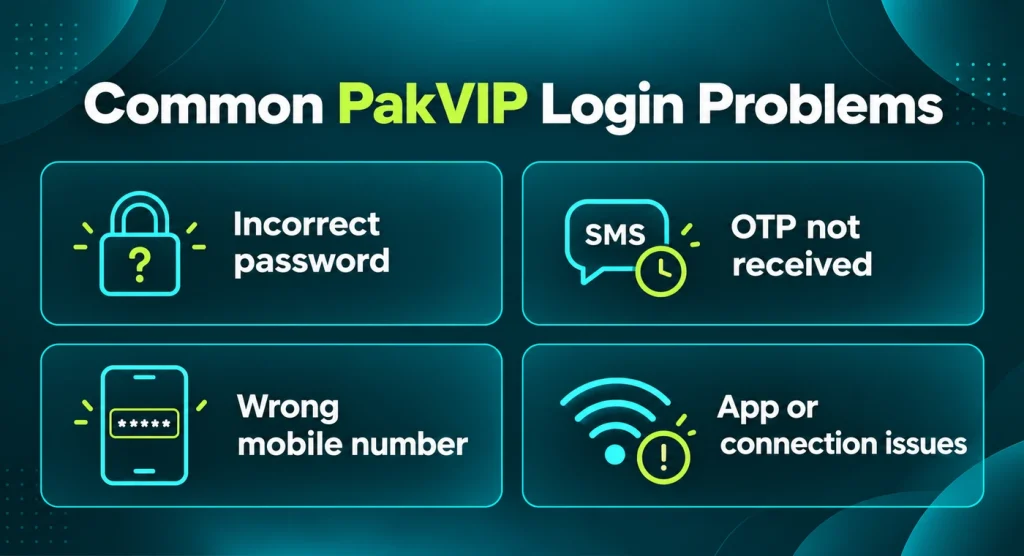
App Login Works but Browser Login Does Not
Check the browser address, stored cookies, cache and whether web access is supported. Do not assume every domain found in search connects with the same account system.
Browser Login Works but App Login Does Not
The app may be outdated or damaged. Check its version and available storage. Follow PakVIP Download before updating or reinstalling.
Login Screen Keeps Refreshing
Cookies may be blocked, the session may have expired or the connection may be switching between networks. Close duplicate tabs, use one stable connection and reopen the checked login page.
Blank, White or Loading Screen
Test another connection and check whether the platform opens in a browser. Restarting the app can help. Do not uninstall immediately if the registered details and recovery access are uncertain.
Session Expires Immediately
The device time may be incorrect, browser data may be corrupted or the platform may require another verification step. Set automatic date and time, close old sessions and try once more.
Account Opens With the Wrong Profile
Sign out without changing account information. The device may have saved another user’s credentials. Clear only the relevant saved login after making sure you can recover your own account.
Login After Updating or Reinstalling PakVIP
An update should not be treated as a new registration. Use the existing account identifier and password. Keep the registered SIM available because a fresh installation or device may trigger OTP verification. Before uninstalling an older app, note the account identifier and confirm that password recovery works. An uninstall can remove local settings even when the main account remains associated with credentials.
If the updated app rejects a password that works in the browser, the issue may be the app build rather than the account. Compare versions and check the source. Do not create another account or reset the password several times merely to test a questionable APK.
Logging In on a New Phone
A new device may trigger an OTP, session warning or additional account check. Install the app only after reviewing the source, or use a checked browser route if supported. Keep the registered SIM nearby. Sign in once, review the profile and transaction history, then check for active-session controls. Remove access from an old phone when possible, especially if it has been sold, lost or given to someone else. Do not restore PakVIP credentials from an unknown backup file. Enter them through the recognised login screen or a reputable password manager.
What If You No Longer Have the Registered Number?
Loss of the registered SIM can make OTP verification and password recovery harder. Start with the mobile provider if the number can be recovered legitimately. Regaining the same SIM is often clearer than trying to move the account through an unverified contact.
If the number cannot be recovered, use the support route linked from the current platform. Be prepared to explain the account history and complete whatever ownership checks are actually required. Do not send a CNIC image, payment record or other sensitive document to a random WhatsApp or Telegram profile. Avoid creating a replacement account with different details while the original account has a balance or pending transaction. Resolve ownership first.
Protecting PakVIP Login Information
Use a Unique Password
Reusing an email or mobile-wallet password turns one compromised login into several affected accounts. Use a different password for PakVIP and store it privately.
Keep OTP Codes Private
An OTP can approve a login or password reset. Never share it with support, an agent, a friend or someone offering a bonus.
Lock the Phone
Use a device PIN, password or biometric lock. A saved login on an unlocked phone can expose the account without anyone knowing the password.
Avoid Shared Devices
If a shared phone or computer must be used, do not enable “Remember me.” Sign out, close the browser and remove saved credentials afterward.
Review Account Activity
After login, look for unfamiliar transactions, changed profile information or sessions you do not recognise. Act early rather than waiting for a payment problem.
Do Not Allow Remote Access
Support should not need to control the phone through a screen-sharing or remote-access application. Such access can expose OTP messages, wallet apps and identity documents.
How to Identify a Fake PakVIP Login Page
A fake sign-in page can look polished. Small details often reveal the problem. Watch for:
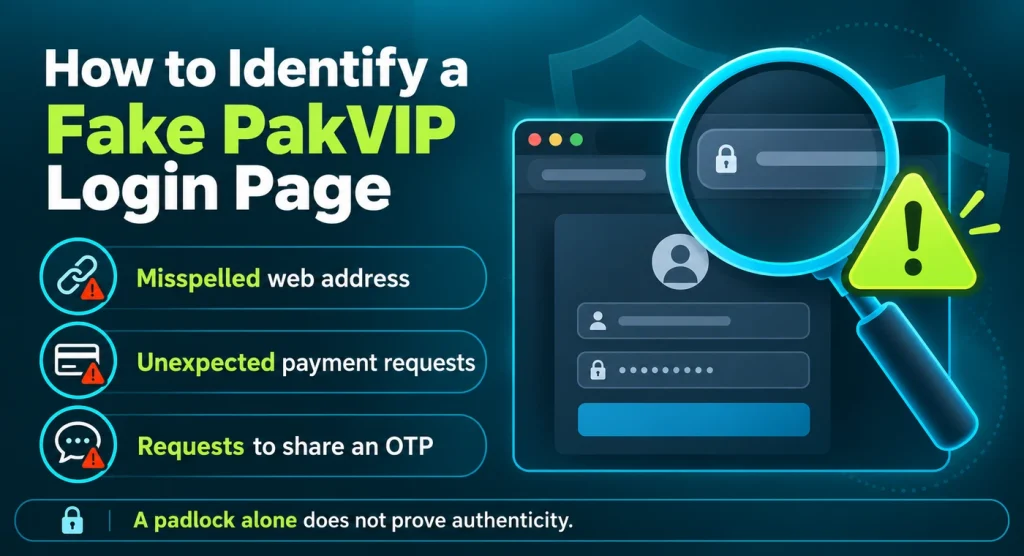
- a misspelled or unrelated domain;
- a link that changes address several times;
- a password form reached through an unsolicited message;
- requests for a mobile-wallet PIN or card details during login;
- pressure to sign in to claim an expiring reward;
- a page asking for several OTPs;
- a download button that installs an unrelated application; or
- support that wants the password before explaining the problem.
Do not trust a page solely because it uses HTTPS, displays a familiar logo or appears at the top of an advertisement. Check the address and how the link was obtained. If credentials were entered on a suspicious page, change the PakVIP password through a recognised access point. Change any other account that reused the same password. Review transactions and contact verified support if account information has changed.
What to Check After a Successful Login
A successful sign-in is a good moment to confirm that the account is ready for use.
Profile Details
Check the mobile number, username and other visible information. Do not change details merely because an unknown agent says it is required for a bonus.
Transaction History
Review recent deposits and withdrawals. If something is unfamiliar, keep screenshots with sensitive details hidden and report it through the recognised support route.
Wallet and Balance Types
The total displayed balance may include deposited funds, promotions, winnings or pending transactions. Do not assume the entire figure is withdrawable.
Current Payment Instructions
Payment methods and recipient details can change. Use only the information displayed inside the current account when considering a PakVIP Deposit.
Withdrawal Requirements
Read verification, balance and promotion conditions before adding money. The PakVIP Withdrawal page explains common statuses and delayed requests.
Account Recovery
Know where password recovery and support are located before an urgent problem occurs. Keep the registered mobile number active.
PakVIP Login Safety Checklist
Use this short check before signing in:
- I checked the full domain or app source.
- I am using the identifier connected with my existing account.
- I checked the required mobile-number format.
- My password is unique and private.
- I will not share an OTP with anyone.
- I am not logging in through a link sent by an unknown account.
- I will avoid repeated password guesses.
- I will not save credentials on a shared device.
- I know how to reach the recognised recovery option.
- I understand that account access does not guarantee earnings or withdrawals.
Responsible Use After Login
Signing in can make it easy to return to a game without considering the total time or money already spent. Set a limit before opening the lobby. Keep essential expenses separate from the gaming balance and never borrow to continue playing. Do not increase bets to recover a loss. Fast rounds and promotional notifications can encourage repeated activity, but neither changes the uncertainty of the outcome. Check total deposits and withdrawals rather than focusing only on the latest result.
PakVIP and similar real-money platforms should be used only by adults aged 18 or over where permitted. If gaming affects finances, sleep, work, studies or relationships, stop and seek appropriate help.
Frequently Asked Questions
Continue From PakVIP Login
After accessing the correct account, use the page that matches your next task:
- Return to the PakVIP homepage
- Download or update PakVIP
- Create a new PakVIP account
- Check PakVIP deposit instructions
- Review PakVIP withdrawal help
Keep the password and OTP private, review account activity after signing in on a new device and use only payment information displayed through the current account.