
PakVIP Withdrawal Rejected – Common Reasons and What to Check
A rejected withdrawal can be stressful, especially when the amount looked available in your balance. In most cases the rejection is linked to account details, verification, bonus conditions or limits rather than a technical fault. This guide explains the most common reasons and the checks to make before you submit another request.
18+ notice: Real-money gaming involves financial risk. Pakvipapks.pk is an independent information site, not the official PakVIP operator, so always rely on the message shown inside your own account.
Read the Rejection Message First
Open your transaction history and look at the exact status and any note attached to the request. A message such as “wrong account name”, “verification required” or “turnover not completed” tells you far more than a general list of causes. Take a screenshot with your balance and personal details hidden, and note the request reference, date and amount.
Common Reasons a PakVIP Withdrawal Is Rejected
- Wrong wallet or bank details. A single wrong digit, an old JazzCash or Easypaisa number, or an account title that does not match your registered name can cause a rejection.
- Bonus or turnover conditions. If part of the balance came from a promotion, the offer may require eligible play before that amount can be withdrawn.
- Verification not complete. Some accounts must confirm their mobile number or identity before the first withdrawal.
- Below the minimum or above the limit. Requests outside the allowed range for the selected method may be refused.
- Pending or unusual activity. A request made while a deposit is still processing, or soon after changing account details, may be held or rejected for review.
- Duplicate accounts. Accounts linked to the same person, device or payment details can be restricted under platform rules.
The withdrawable balance is often lower than the total balance shown on the home screen. Our PakVIP Withdrawal page explains each balance type and transaction status, and PakVIP Bonus Visible but Not Withdrawable covers bonus conditions in detail.
What to Check Before Trying Again
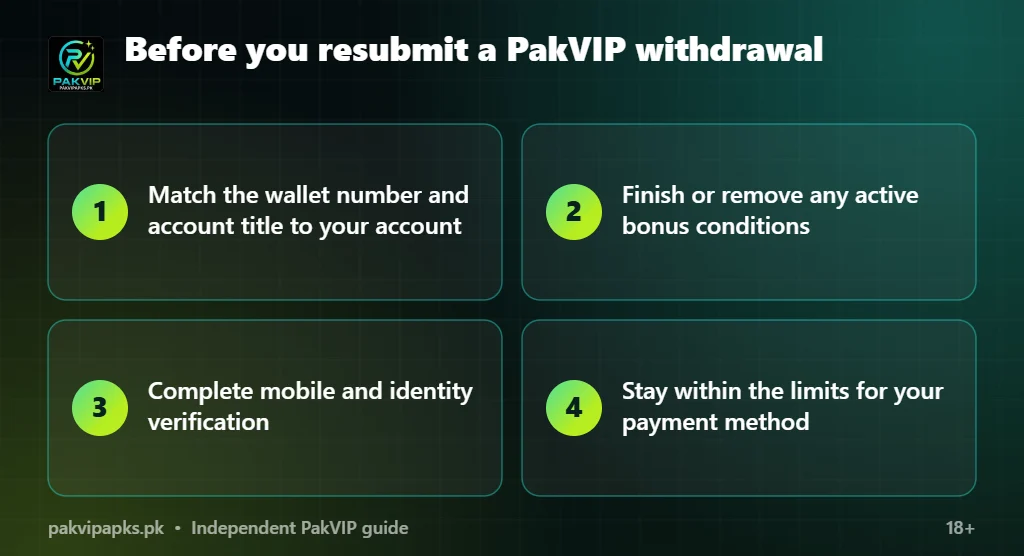
- Compare the wallet number and account title with the details registered on your account.
- Check whether any active bonus still has unfinished conditions.
- Confirm that your mobile number and any requested verification steps are complete.
- Make sure the amount is within the limits shown for your chosen method.
- Wait until earlier deposits or withdrawals have finished processing.
Correct one thing at a time and submit a single new request. Repeatedly cancelling and resubmitting can make your history harder for support to follow.
If the Amount Left Your Balance
When a request is rejected, the amount is usually returned to your account balance, although it may take some time to appear. If it does not come back within the timeframe shown by the platform, contact support with the request reference. If a withdrawal instead shows as completed but never reached your wallet, follow the steps in Withdrawal Completed but JazzCash or Easypaisa Balance Missing.
How to Contact Support About a Rejection
Use only a help option you can open from inside your own account. Share the request reference, date, amount, payment method and the exact rejection message. Support should not need your password, OTP or wallet PIN. Be careful with anyone who asks for a “release fee” or “tax” before approving a withdrawal; that is a common scam described in PakVIP Real or Fake?
Mistakes to Avoid
- Paying an agent to “unlock” or “approve” a withdrawal.
- Creating a second account to withdraw the same balance.
- Changing payment details several times in a short period.
- Depositing more money to “prove” the account or recover the amount.
Frequently Asked Questions
Play responsibly. Never treat withdrawals as guaranteed income, and do not deposit more money to make up for a rejected amount.
One Comment