
PakVIP Real or Fake? How to Spot Fake APKs, Links and Support Scams
Searches for PakVIP often lead to a mix of information sites, copied download pages and social-media accounts that claim to be official support. Some are harmless, but others are built to steal passwords, OTPs or money. This guide explains the warning signs and the checks to make before you download a file, enter your mobile number or send a payment.
Important: Pakvipapks.pk is an independent information site and is not the official PakVIP website or operator. Real-money gaming involves financial risk and is for adults aged 18 or over only. Before using any real-money platform, read Is PakVIP Legal in Pakistan?
Why Fake PakVIP Pages Are Common
Popular gaming names attract copycats. A lookalike page can use the same logo, colours and screenshots as the real platform, then swap the download file or the payment details. Because many users find PakVIP through search results, WhatsApp forwards or Telegram groups, it is easy to land on a copy without noticing. The words “PakVIP” or “Pak VIP” in a domain or channel name prove nothing on their own.
Signs of a Fake PakVIP Link or Website
- The address has extra letters, hyphens, numbers or an unusual ending that differs from the link you used before.
- The page redirects you to a different brand, an unrelated app page or a file-sharing site.
- It promises a “mod APK”, unlimited balance, guaranteed wins or fixed results.
- It asks for your password, OTP or mobile-wallet PIN outside the normal login screen.
- It pressures you with countdowns, “last chance” bonuses or threats that your account will be closed.
- It shows payment details as an image or forwarded screenshot instead of inside your own account.
How to Check a PakVIP APK Before Installing
An APK is an Android installation file. A fake or repackaged APK can look identical to the real app while containing modified code. Before you open any file:
- Note where the download link came from and whether it changed during the download.
- Compare the file name, version number and file size with the information you already recognise.
- Read the permissions Android asks for. A gaming app needs network access; requests for your SMS, contacts or accessibility settings deserve serious caution.
- Turn off “Install unknown apps” for your browser or file manager again once installation is finished.
- Delete files that promise extra rewards or altered results instead of installing them “to test”.
Our PakVIP Download page explains the full installation steps, and PakVIP APK Not Installing covers common install errors.
Fake PakVIP Support on WhatsApp and Telegram
Many scams start with a message from an account that calls itself “PakVIP Support”, “Agent” or “Recharge Team”. These accounts often contact users first, especially after someone posts about a delayed deposit or withdrawal in a public group.
Genuine support should not need any of the following to look into a routine problem:
- your password or a one-time verification code (OTP);
- your JazzCash, Easypaisa or bank PIN;
- remote access to your phone through a screen-sharing app;
- an extra “release fee”, “tax” or “verification deposit” before a withdrawal is paid.
If anyone asks for these, stop the conversation. Use only a help option that you can open from inside your own account or another source you have verified yourself.
Payment Scams to Watch For
Payment fraud usually relies on urgency. A scammer may send a new “official” account number, claim that a payment failed and must be repeated, or offer a bonus if you deposit through a personal number. Never reuse recipient details copied from an old screenshot or forwarded message, and keep the transaction ID for every payment. If money has left your wallet but has not appeared in your balance, follow the checks in Deposit Deducted but Balance Not Showing instead of paying again.
What to Do If You Think You Were Scammed
- Stop sending money and do not pay any “recovery” fee, even if someone promises to return your funds.
- Change your password and sign out of other devices if the platform allows it.
- Contact your mobile-wallet provider or bank through its official helpline straight away with the transaction ID, date and amount.
- Save screenshots of the chats, numbers and links involved.
- Report the fraud to the National Cyber Crime Investigation Agency (NCCIA) through its official complaint channels.
Be careful with people who offer to recover lost money for a fee. So-called recovery agents are a common second scam aimed at people who have already lost money.
Quick Safety Checklist
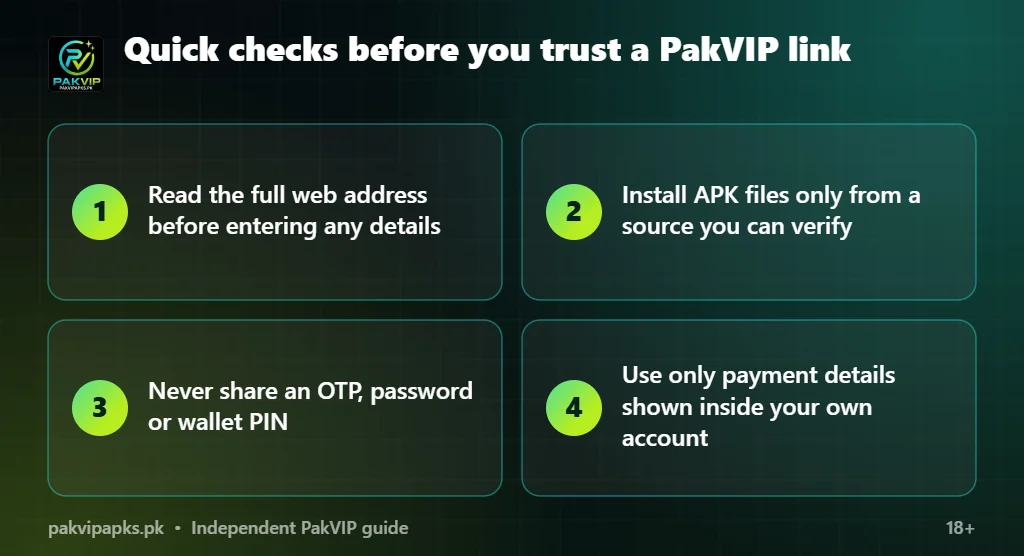
- Check the full web address before entering any details.
- Install APK files only from a source you can verify.
- Never share an OTP, password or wallet PIN.
- Use only the payment details shown inside your own account.
- Keep every transaction reference until the payment is settled.
- Treat anyone who contacts you first as unverified.
Related guides: Scammers often target people with a rejected withdrawal, a blocked account or a promise of a working gift code. Read those guides before you pay anyone or share any details.
Frequently Asked Questions
18+ only. Real-money gaming can lead to financial loss. Set a firm spending limit, never borrow to play, and step away if gaming starts to affect your money, sleep, work or relationships.
3 Comments