
PakVIP Lost SIM or Changed Number – How to Keep Account Access
Your mobile number is often the key to your PakVIP account. It may be used for login, OTP verification and payment changes. If your SIM is lost, stolen or replaced, or if you want to use a new number, a few careful steps can help you keep access without putting your account at risk.
18+ notice: Pakvipapks.pk is an independent information site, not the official PakVIP operator. Account settings and recovery options are controlled by the platform and can change.
Why Your Registered Number Matters
The registered number may receive the OTP needed to sign in on a new phone, reset a password or confirm sensitive changes. If you lose access to it, routine actions can stop working, which is why a lost SIM should be dealt with quickly.
If Your SIM Is Lost or Stolen
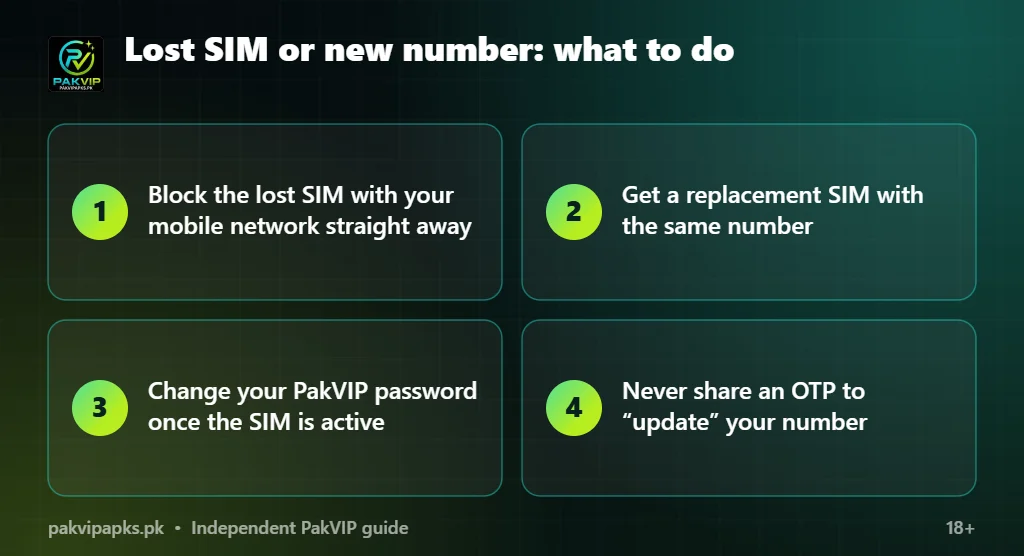
- Contact your mobile network straight away and ask them to block the SIM.
- Get a replacement SIM with the same number from an official franchise or customer service centre. You will normally need your CNIC and biometric verification.
- Change your PakVIP password once the number is working again, and sign out of other devices if the option exists.
- Check your wallet and bank apps for any transactions you do not recognise.
A replacement SIM keeps the same number, so in most cases you can continue using your account normally once it is active.
If You Want to Use a New Number
Changing the registered number is a sensitive account action. Look for an option in the profile, security or account settings inside the app. If there is no self-service option, contact support through your account and ask what is needed. You may be asked to verify both the old and the new number, or to confirm your identity.
- Make the change while you still have access to the old number, if possible.
- Use a new number that is registered in your own name.
- Be aware that some platforms hold withdrawals for a short time after a number change.
A change made shortly before a withdrawal may trigger extra checks. PakVIP Withdrawal Rejected and PakVIP Account Verification and CNIC explain why.
OTP and SIM Swap Scams
Criminals sometimes try to take over a number through a fraudulent SIM replacement, or trick users into sharing an OTP. Warning signs include a sudden loss of signal, messages about a SIM change you did not request, and calls asking you to “confirm” a code.
- Never share an OTP with anyone, including people who say they work for support or your mobile network.
- If your SIM stops working unexpectedly, contact your network immediately.
- Check which SIMs are registered on your CNIC using the PTA’s official SIM information service (668).
For other code problems, read PakVIP OTP Not Received. If your account has been locked, see PakVIP Account Blocked or Restricted.
Frequently Asked Questions
Play responsibly. Real-money gaming is for adults aged 18 or over only and can lead to financial loss.