Sent Money to the Wrong Number for a PakVIP Deposit – What to Do
It is easy to make a mistake when copying a wallet number, especially on a small screen. If you sent a deposit to the wrong JazzCash, Easypaisa or bank account, acting quickly gives you the best chance of resolving it. This guide explains what to do first and how to avoid the scams that target people in this situation.
18+ notice: Pakvipapks.pk is an independent information site, not the official PakVIP operator, and cannot reverse or trace payments. Only your wallet provider, bank or the platform can review a transaction.
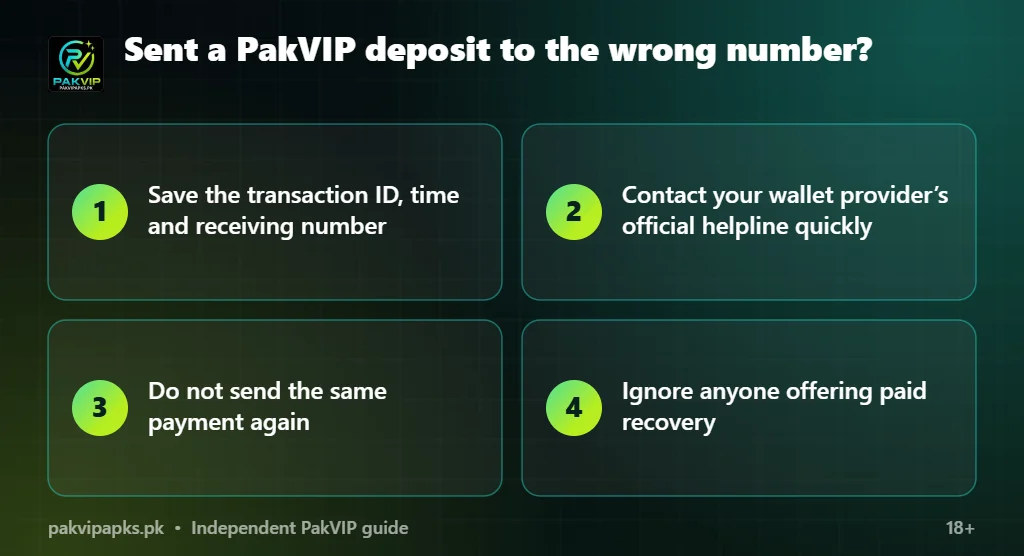
First, Confirm What Happened
- Open the transaction in your wallet or banking app and note the transaction ID (TID), date, time, amount and the receiving number or account title.
- Compare that number with the payment details shown for the deposit inside your PakVIP account.
- Check your PakVIP transaction history to see whether the deposit was recorded at all.
If the receiving number matches the one shown inside your account but your balance has not updated, this is not a wrong-number problem. Follow Deposit Deducted but Balance Not Showing instead.
If You Typed the Wrong Number
- Contact your wallet provider or bank through its official helpline or in-app support straight away and give them the TID.
- Ask whether the transfer can be held or reviewed. Some providers may be able to help if the receiver has not used the money yet, but recovery is not guaranteed.
- Do not send the same amount again until the first problem is understood.
- Keep every screenshot and complaint reference number.
A gaming platform normally cannot see or reverse a payment that was sent to an account it does not control, so your wallet provider or bank is usually the right place to start.
If You Used Details From a Screenshot or Chat
Payment details copied from old screenshots, WhatsApp forwards or unknown agents may not belong to the platform at all. If someone gave you a number outside your account, treat it as possible fraud: tell your wallet provider, save the chat and report it to the NCCIA through its official complaint channels. PakVIP Real or Fake? explains how these payment scams work.
Escalating a Complaint
If your wallet provider or bank does not resolve the complaint, you can escalate it through the State Bank of Pakistan’s complaint channels for banking customers. Keep your original complaint reference, because you will usually be asked for it.
Beware of Recovery Scams
- People who claim they can reverse any transfer for a fee.
- Fake helpline numbers posted in social-media comments.
- Requests for your PIN or OTP to “process a refund”.
Use only the helpline shown in your wallet app or on the provider’s official website.
How to Avoid This Next Time
- Copy payment details from inside your own account every time, not from memory or screenshots.
- Check the account title shown before you confirm the payment.
- Start with a small amount the first time you use new payment details.
- Save the TID straight after paying.
For more on adding money safely, see the PakVIP Deposit page.
Frequently Asked Questions
Play responsibly. Never deposit money you need for essentials, and do not make another deposit to cover a lost one.